|
|
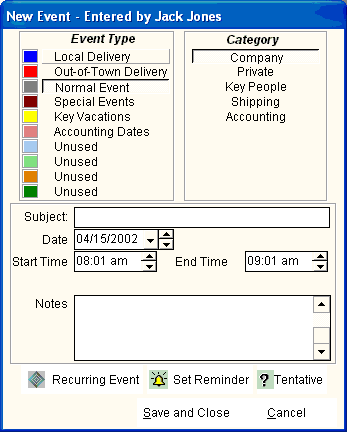
The following entry screen is displayed when you select New Event from the Toolbar or the Shortcut Icons. After selecting the Event Type and Category, the following information is entered:
- Subject - A description of the Event or Appointment (Up to 160 characters)
- Date - Note that the single down arrow opens up a small calendar so you may navigate to the date you want. The up and down arrows at the right increment and de-increment the date by one day.
- Start Time - (Not on all Event Types) Note that the up and down arrows at the right increment and de-increment the time.
- End Time - (Not on all Event Types) Note that the up and down arrows at the right increment and de-increment the time.
- Location - (Under the Time fields) (Not on all Event Types)
- Notes - Any additional information may be entered.
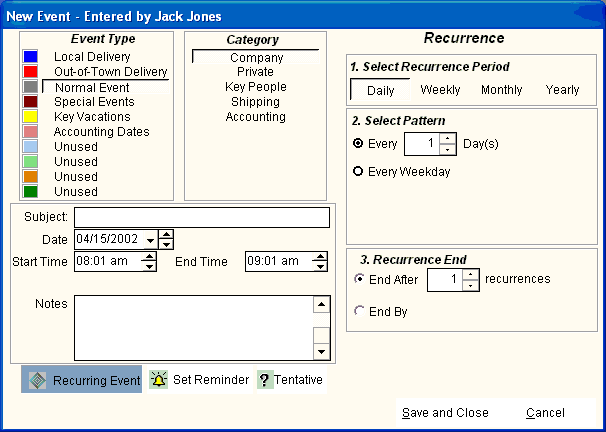
- Recurring Event - If the event is recurring, the screen will widen as shown below. Additional information will be requested to recur the event Daily, Weekly, Monthly or Yearly.
- Set Reminder - A visual and audible reminder will occur when the event is due.
- Tentative - A marker will indicate a tentative event.
|