|
|
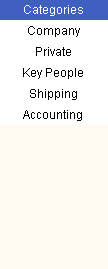
ScheduleALL provides a total of 10 Categories. The Company category is visible to all client workstations, and the Private category contains items only visible on your workstation. (Both of these categories may have been renamed by your Administrator) Other categories are defined and made available to client workstations by the Administrator. When you create a New Event, New Tasks, or New Contact, you select the category to use. An example of the Category Selector is shown on the left. The five Categories shown will toggle when you click on them, which will remove items in that Category from all displays. You could, for example, click on the Company, Key People, Shipping and Accounting buttons to only see your private items in Calendar View, Tasks and Contacts. Last Updated: 4/16/2002 |